

Sommaire

Every unplanned breakdown costs your plant time, money, and momentum. According to Aberdeen Research, 82% of manufacturers have experienced unplanned equipment downtime in the past three years, at an average cost of $260,000 per hour. That is lost production, idle crews, and emergency parts orders, before you even count indirect costs like wasted energy and missed shipments.
Most maintenance teams already know the problem. What they need is a system that stops it.
The best CMMS software gives manufacturing teams one place to manage maintenance tasks, track asset history, automate preventive maintenance scheduling, and control spare parts inventory. A Computerized Maintenance Management System (CMMS) replaces reactive firefighting with a structured maintenance management system that keeps critical assets running and maintenance costs under control. The result: fewer costly breakdowns, longer asset life, and a maintenance department that leads with data instead of reacting to disasters.
What Is CMMS Software and Why Do Manufacturing Teams Need It?

A CMMS is not a digital maintenance log. It is a maintenance management system that centralizes:
- Work orders — creation, assignment, tracking, and closure
- Asset history — complete equipment data and maintenance records per asset
- Preventive maintenance scheduling — time-based, meter-based, or condition-based triggers
- Spare parts and inventory management — stock alerts linked to assets and work orders
- KPI dashboards — live metrics like MTTR, MTBF, and OEE for maintenance planning
A maintenance log records what happened. A CMMS manages what happens next. It also eliminates indirect maintenance costs, such as high energy consumption from poorly maintained equipment and lost production from unplanned stops.
How Does a CMMS Differ from a Standard Maintenance Log?
A preventive maintenance schedule inside a CMMS connects directly to real-time work order execution. It links parts consumption to asset management records and surfaces performance gaps through built-in reporting. A spreadsheet does none of that.
What Are the Key Features of the Best CMMS Software for Manufacturing?

Generic facility management software and computer aided facility management tools are built for offices. Manufacturing teams manage critical assets across multiple shifts, often across multi-site operations. These are the key features that matter on a shop floor.
Work Order Management
Technicians create, assign, and close work orders from a mobile device in real time. No paper. No end-of-shift backlogs. Maintenance managers always know what is open, what is overdue, and who is handling it. Handling maintenance requests digitally also eliminates the manual re-entry that wastes 20 to 30 minutes per technician per shift.
Preventive and Predictive Maintenance Scheduling
A CMMS automates preventive maintenance tasks on time-based, meter-based, or condition-based triggers. Preventive maintenance automation creates a documented record that supports audits and reliability centered maintenance programs. More advanced CMMS platforms, such as eMaint and Fiix, also leverage sensor data for predictive maintenance, flagging equipment issues before a costly breakdown occurs and protecting asset performance over time.
Asset Tracking and Lifecycle Management
Every asset should carry a full maintenance history: past repairs, part replacements, failure patterns, and warranty status. This asset tracking data and equipment data support smarter replacement planning and cost analysis. Without it, maintenance managers routinely discover a critical asset is out of warranty only after it fails.
Spare Parts and Inventory Control
Low-stock alerts tied to specific assets prevent the scenario every maintenance team dreads: a machine goes down and the part is not available. The ability to manage inventory directly inside the CMMS links parts consumption to work orders and asset history. Solid inventory control also cuts excess stock, reducing capital tied up in unused parts.
Mobile Access for Technicians on the Floor
A survey by Reliable Plant found that 94.7% of plant maintenance managers do not use their CMMS to its full capability. Complexity is the main reason. If maintenance personnel cannot use the CMMS on the shop floor, they will not use it at all. Offline-capable mobile app access removes that friction and keeps maintenance data current without end-of-shift logging.
KPI Dashboards and Advanced Analytics
Key performance indicators like MTTR, MTBF, and OEE only help when maintenance managers can see them in real time. A CMMS with live KPI dashboards and advanced analytics shifts decisions from gut feel to maintenance data. It also improves transparency and accountability across maintenance operations, so maintenance leaders can quickly identify both areas of excellence and those that need attention.
How to Choose the Right CMMS Software for Your Manufacturing Operation
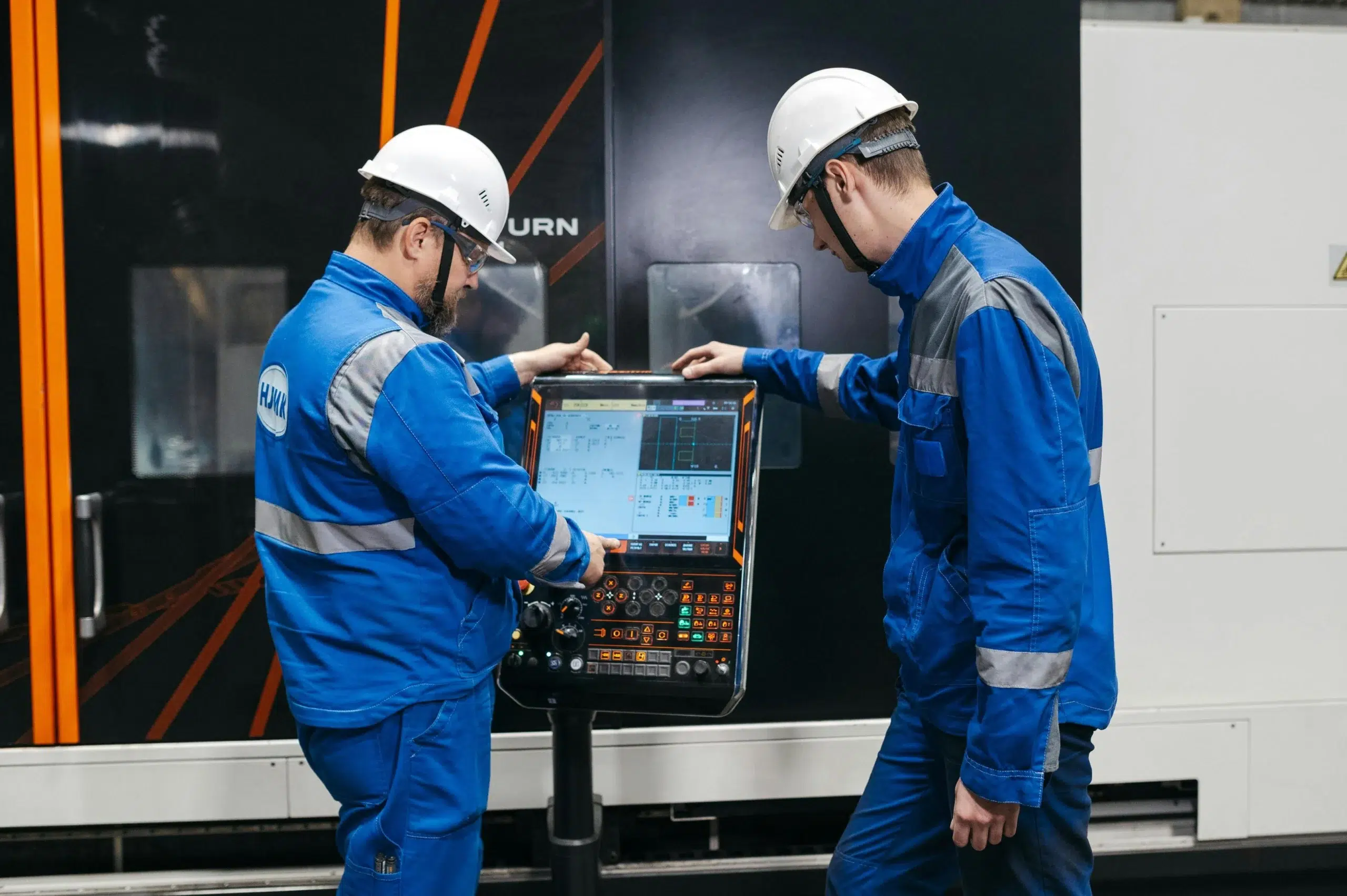
Most organizations over-buy CMMS software. They pay for advanced features and advanced capabilities when basic functionalities like work order management and parts organization are all they need. A structured evaluation process prevents that mistake.
When comparing CMMS options, evaluate solutions based on five criteria: core functionality, ease of use, deployment model, integrations, and scalability. This covers both current needs and future growth.
Step 1: Audit Your Current Maintenance Pain Points
Before comparing CMMS software providers, identify where your team loses the most time. Is it unplanned breakdowns? Manual paperwork? Parts stockouts? Your specific pain points should drive the evaluation process. A CMMS solution that does not address them adds cost without fixing the problem.
Step 2: Separate Must-Haves from Nice-to-Haves
List what stops production versus what is merely convenient. Many operational managers get sold on advanced capabilities they configure once and never use again. Focus on what maintenance personnel will use in their first 90 days. That is where adoption is won or lost.
Step 3: Evaluate Integration with Existing Systems
Can the CMMS connect to your ERP systems, enterprise asset management software, or IoT sensors? Enterprise resource planning integration pulls procurement data, cost center codes, and asset records into a single system. Integration gaps create data silos and force manual workarounds that defeat the purpose of implementing maintenance software.
Step 4: Run a Total Cost of Ownership Analysis
The advertised license price is not the real cost. A thorough cost analysis should include implementation, data migration, extensive training, support, upgrades, and future growth. Implementation, data migration, and training alone can add 50 to 150% on top of the initial price. Factor this into every CMMS investment decision.
Step 5: Plan for Multi-Site Scalability
A CMMS that works for one plant may not handle five. If your operation manages multiple locations or plans to grow, prioritize multi site management and CMMS platforms built for multi site operations. Some platforms include a dedicated maintenance connection layer that syncs asset data, work orders, and inventory across all sites in real time. These multi site capabilities prevent costly breakdowns from going undetected across locations. Asset hierarchies should stay consistent across multiple sites. Think three to five years out, not just today’s headcount.
Practical example: If your team manages 200 or more assets across two shifts, mobile-first work order creation is not a nice-to-have feature. It is a baseline requirement.
Ready to see how DimoMaint MX supports multi-site management? Request a free demo and speak with a maintenance specialist.
Ready to see how DimoMaint MX supports multi-site management? Request a free demo and speak with a maintenance specialist.
How Do CMMS Platforms Compare for Manufacturing?
Not all CMMS systems are built for industrial use. Here is a quick reference for how major options compare:
|
CMMS Platform |
Best For |
Pricing Model |
Notable Strength |
|---|---|---|---|
|
DimoMaint MX |
Industrial manufacturing, multi-site |
Per user, SaaS |
Asset management, ERP integration |
|
MaintainX |
Small teams, mobile-first workflows |
Free plan + paid tiers |
Mobile execution |
|
UpKeep |
Field teams, facilities |
Per user, SaaS |
Mobile execution |
|
eMaint |
Predictive maintenance |
Per user, SaaS |
Sensor-based maintenance |
|
Fiix |
Predictive maintenance |
Per user, SaaS |
AI-driven analytics |
|
Brightly Asset Essentials |
Education, public sector |
Per user, SaaS |
Asset lifecycle tracking |
|
Fabrico |
Cost-conscious SMBs |
Per plant (not per user) |
Simpler cost structure |
MaintainX and UpKeep are widely considered the leaders in mobile execution. eMaint and Fiix excel at leveraging sensor data for predictive maintenance. Brightly Asset Essentials covers asset tracking well but is less suited to industrial manufacturing contexts. Some newer alternatives like Fabrico calculate cost per plant rather than per user, which benefits teams with large headcounts.
Free plan options exist for small teams, but freemium tiers often lock essential features behind paid plans. A free tier may cover basic maintenance requests and work orders, but inventory management, advanced analytics, and multi-site operations typically require a paid CMMS subscription.
When evaluating other CMMS solutions, look beyond the feature list. User-friendly design, mobile access, and integration depth determine whether a CMMS actually gets used or quietly collects dust. A user friendly CMMS is also the single best way to streamline operations and reduce the training burden on maintenance teams.
Why DimoMaint MX Is Built for Manufacturing Maintenance Teams
Most CMMS platforms started as facility management software repurposed for industrial use. DimoMaint MX was built specifically for asset-intensive, multi-shift manufacturing environments where equipment downtime has a direct dollar cost and where maintenance processes cannot afford to be slow or unreliable.
DimoMaint has supported industrial maintenance teams for over a decade, which means the platform reflects real manufacturing workflows, not just theoretical ones.
SaaS Deployment with No Heavy IT Overhead
DimoMaint MX runs as a cloud-based SaaS CMMS. No on-premise servers. No IT-managed rollout. Maintenance managers configure and run it themselves. SMB-focused SaaS systems like DimoMaint MX typically deploy in one to four weeks, compared to the months that enterprise on-premise systems often require.
Real-Time KPIs That Drive Better Decisions
Live dashboards surface MTTR, backlog rate, and compliance rate in real time. Maintenance managers stop waiting for weekly reports and start making same-day decisions. That shift from reactive to proactive maintenance strategies is where operational efficiency improves and maintenance costs drop. See how DimoMaint MX’s analytics and reporting features support that shift.
A Central Hub for Maintenance Operations
A modern CMMS should function as a central hub, connecting work order management with inventory control, safety compliance, and enterprise connectivity. DimoMaint MX does exactly that. It connects to existing systems through API connectors, supports asset hierarchies across multiple sites, and handles the volume that real maintenance departments generate.
See real-world examples in the case studies library, or compare plans on the MX pricing page.
Common Mistakes Manufacturing Teams Make When Buying CMMS Software
Most CMMS implementations do not fail because the software was bad. Industry sources estimate that 60 to 80% of CMMS implementations underperform or fail outright. The causes are almost always poor planning, low user adoption, and inadequate training. These are the patterns that lead there:
- Choosing by price alone. A cheaper license often means higher total cost of ownership when implementation, migration, and support are factored in.
- Underestimating data migration. Moving from spreadsheets or legacy maintenance software to a new CMMS requires clean, structured asset data. Teams that skip this step spend months fixing it after go-live.
- Ignoring mobile access. Maintenance personnel on the shop floor need the system where they work. A desktop-only CMMS does not get used by technicians.
- Skipping vendor support evaluation. What happens when a critical asset fails at 2am? Support response time matters.
- Buying a facilities tool for industrial use. Facility management software and industrial maintenance software solve different problems. Manufacturing teams need asset-level tracking, not room scheduling.
- Skipping stakeholder involvement. A successful CMMS implementation requires input from maintenance, operations, and IT departments. Leaving any group out creates adoption resistance after go-live.
Successful implementation also requires executive leadership support. Without it, even well-designed CMMS systems stall. Clear goals and measurable KPIs set before rollout give every department a shared definition of success.
Frequently Asked Questions About CMMS Software for Manufacturing
What is the best CMMS software for small manufacturing teams?
For small teams, look for a user-friendly SaaS CMMS with simple onboarding and a mobile-first design. Free plan options exist. MaintainX offers a free tier that covers basic work order management, though freemium tiers lock inventory management and reporting behind paid plans. DimoMaint MX scales from single-site SMBs to multi-plant enterprises, so the platform grows with your operation.
How long does it take to implement a CMMS in a manufacturing plant?
SMB-focused SaaS tools typically deploy in one to four weeks. Enterprise CMMS systems with complex data migration, ERP integration, and large team training can take several months. The biggest variable is the quality of existing asset data before migration starts.
Can CMMS software integrate with ERP systems like SAP or Oracle?
Yes. Modern CMMS platforms use API connectors to sync with enterprise resource planning systems. This pulls procurement data, cost center codes, and asset records into a single workflow and removes the duplicate entry that creates errors between maintenance and finance teams.
What is the difference between CMMS and EAM software?
A CMMS focuses on day-to-day maintenance operations: work orders, preventive maintenance, and parts inventory. Enterprise asset management software covers the full asset lifecycle, including financial depreciation, procurement, and capital planning. Most manufacturing teams start with a CMMS and layer in EAM capabilities as they scale.
How does preventive maintenance scheduling work in a CMMS?
A CMMS triggers preventive maintenance tasks based on three conditions: time elapsed (every 30 days), meter readings (every 500 operating hours), or sensor-based thresholds. Each trigger generates a work order assigned to the right technician with parts and instructions already attached. This is the core of any proactive maintenance strategy.
Is cloud-based CMMS better than on-premise for manufacturing?
For most manufacturing teams, SaaS wins on deployment speed, lower IT overhead, and remote access across multiple sites. On-premise suits highly regulated or air-gapped environments with strict network security requirements. For multi-site operations, cloud-based CMMS systems are the more practical choice.
Choosing a CMMS That Keeps Your Plant Running
A successful CMMS implementation comes down to three things: clear goals with measurable key performance indicators before you buy, a user-friendly system your maintenance teams will actually adopt, and a vendor that understands industrial maintenance processes, not just facilities management.
A CMMS that is used properly reduces equipment downtime, increases technician productivity, optimizes inventory costs, and streamlines operations across your entire maintenance department. The teams that get those results define their goals upfront, involve the right stakeholders, and choose the right CMMS software for their actual workflows.
DimoMaint MX is built for teams managing industrial assets at scale. Request a personalized MX demo today and see how it fits your operation.
Explore more: Asset management | Preventive maintenance | Manufacturing industry | MX pricing
Sources: Aberdeen Research via MachineMetrics; Reliable Plant, CMMS survey by Kris Bagadia; ClickMaint, CMMS Implementation Guide.